Product data
The product catalog in a chat: a dealer asks, Claude answers from the data

Gernot Bernkopf
CEO and Co-Founder, dcupl
A customer wants an e-trekking bike under 3,000 euros, in frame size M and Lake Blue. The salesperson asks Claude, and Claude answers from the Bergwind catalog: which bikes fit, what they cost, what Bergwind has in stock. The dealer needs no app of its own, no export and no code. Bergwind and the dealer are fictional; the catalog data is generated.
MCP product catalog sales REST API
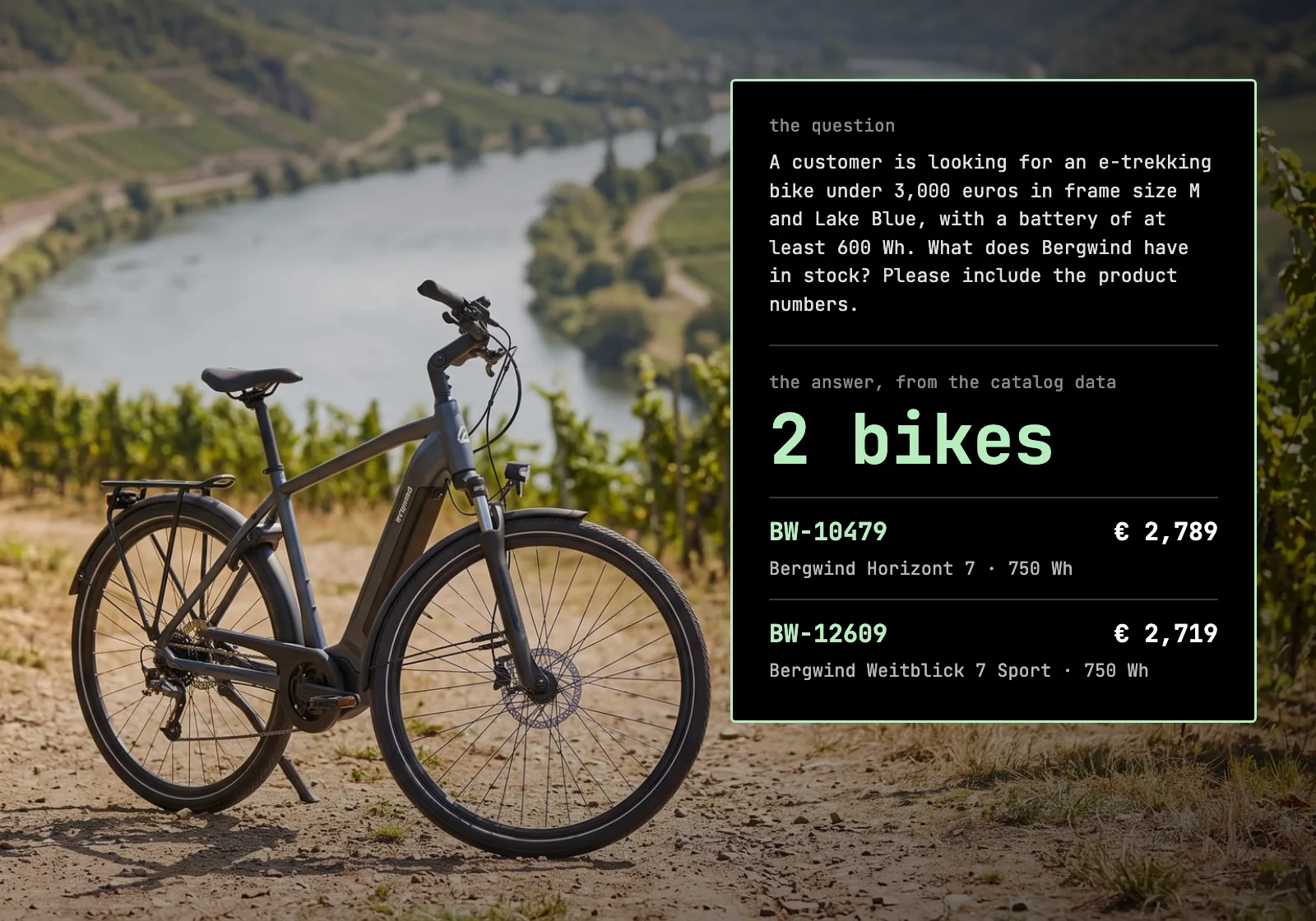
A customer walks into a bike shop that sells Bergwind. She wants an e-trekking bike for tours along the river: no more than 3,000 euros, frame size M, and she has set her heart on Lake Blue. The battery should go the distance, so at least 600 Wh.
The salesperson knows the range, but nobody knows 3,000 bikes by heart, let alone 16,766 variants: every color and frame size a bike comes in, each with its own stock. Bergwind Cycles is a fictional bike brand that we built for demos, and the shop is fictional too. The catalog data is generated, but it is the same kind of data a real dealer works with every day.
The salesperson's Claude is connected to the Bergwind catalog over the Model Context Protocol (MCP). So instead of a price list and a call to the distributor, the question goes into the chat as the customer said it:
A customer is looking for an e-trekking bike under 3,000 euros in frame size M and Lake Blue, with a battery of at least 600 Wh. What does Bergwind have in stock? Please include the product numbers.
Two details in that question are on purpose. "In stock" means Bergwind's stock: the catalog has one stock figure per color and frame size, and that is what the dealer can order from, not what stands in the shop. And the product numbers matter because names repeat in a catalog this size: three different bikes are called Bergwind Weitblick 7 Sport. The number is what identifies a bike, and what the salesperson orders by.
The conversation
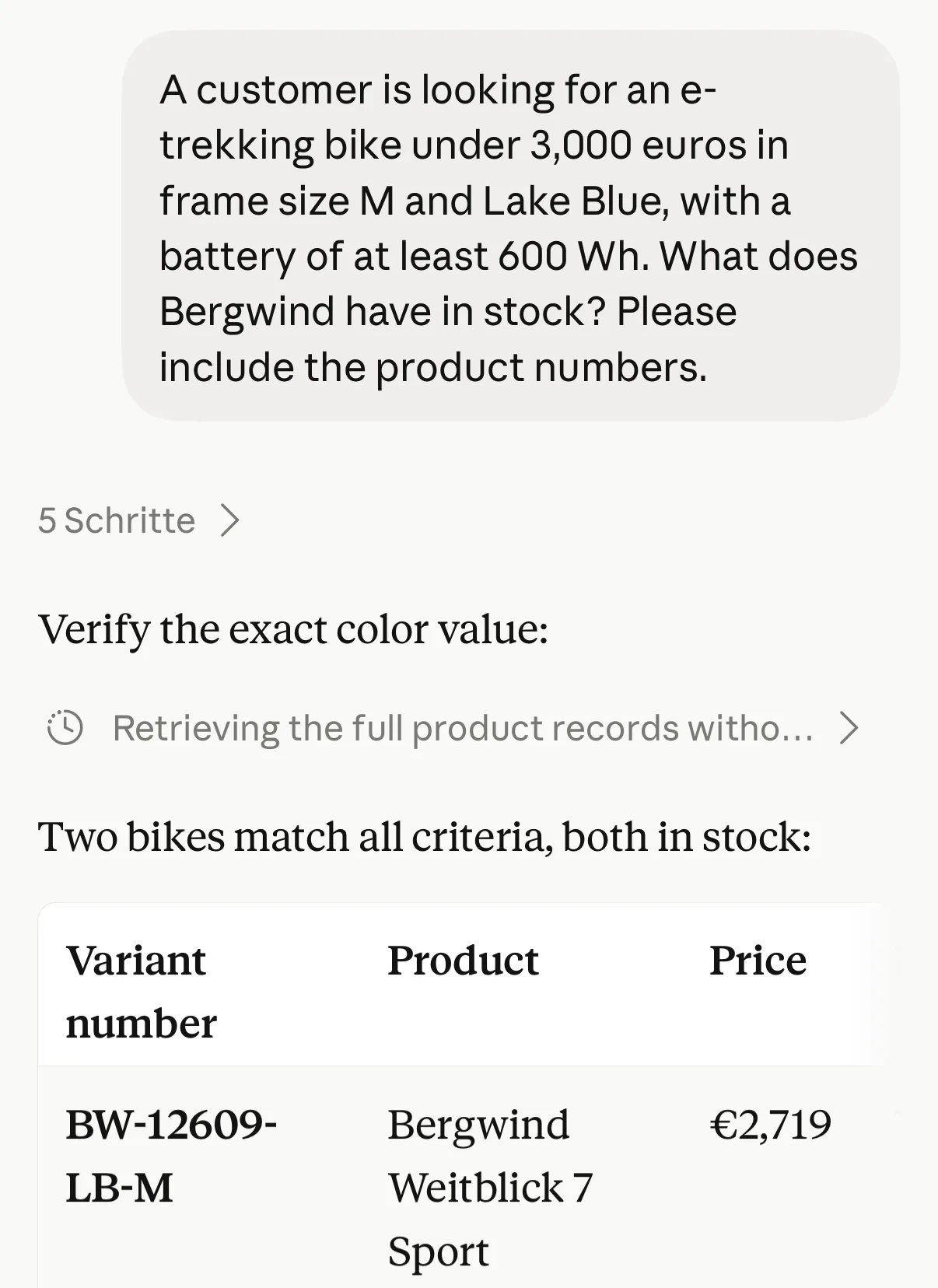
The chat ran in Claude Desktop, with the Bergwind catalog connected. The start of the first answer and the second and third questions are shown in the same chat, open in the Claude app on an iPhone; the whole first answer, the tool calls and the last question are shown in Claude Desktop. All are cropped to the conversation; the questions and answers are exactly as typed and answered.
The question from the counter comes first:
In Claude Desktop the whole table fits, with the weight, the model year and Bergwind's stock:
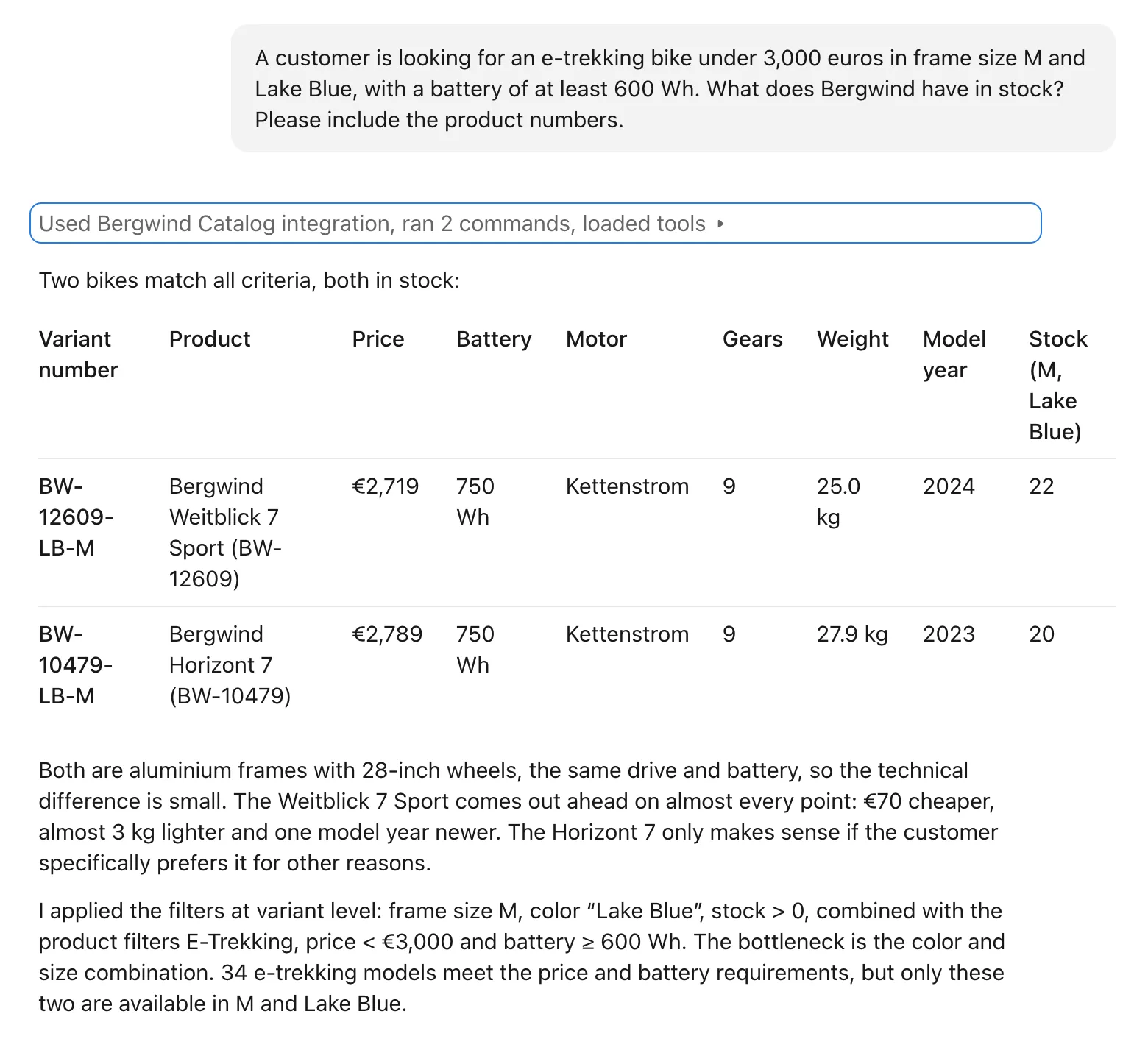
Claude filtered the variants on frame size M, Lake Blue and stock above zero, together with the product conditions: e-trekking, under 3,000 euros, at least 600 Wh. It also says where the bottleneck is: 34 e-trekking models meet the price and the battery, but only these two come in M and Lake Blue.
In Claude Desktop, the line "Used Bergwind Catalog integration" above the answer opens to show the calls behind it. The first part of the list:
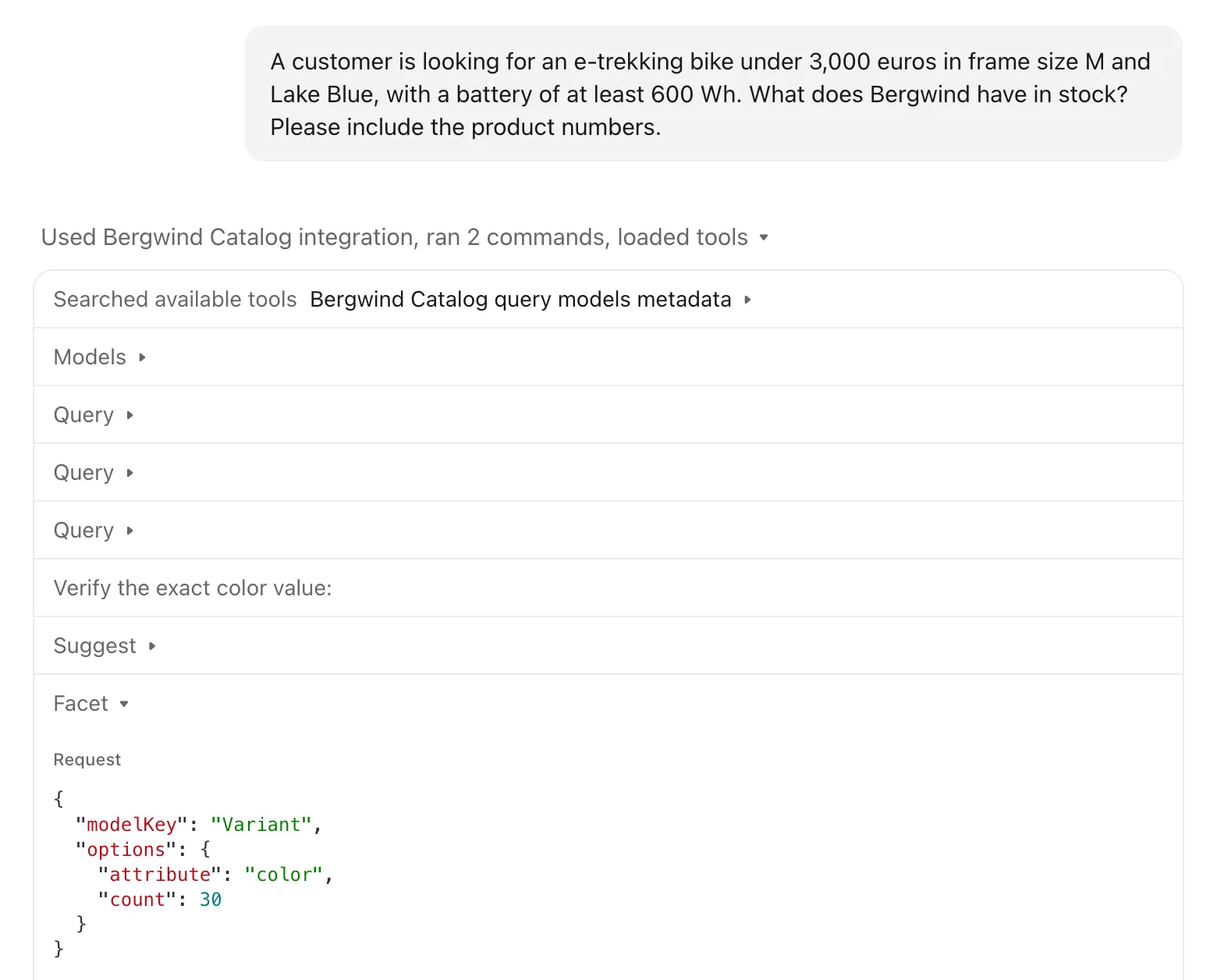
Claude looked up which models the catalog has, ran three queries and checked how the color is spelled in the data. Below the part shown, the list goes on, including two commands Claude ran on its own, before the answer.
The customer asks which of the two is easier to carry:
Which of the two is lighter, and what does it cost?
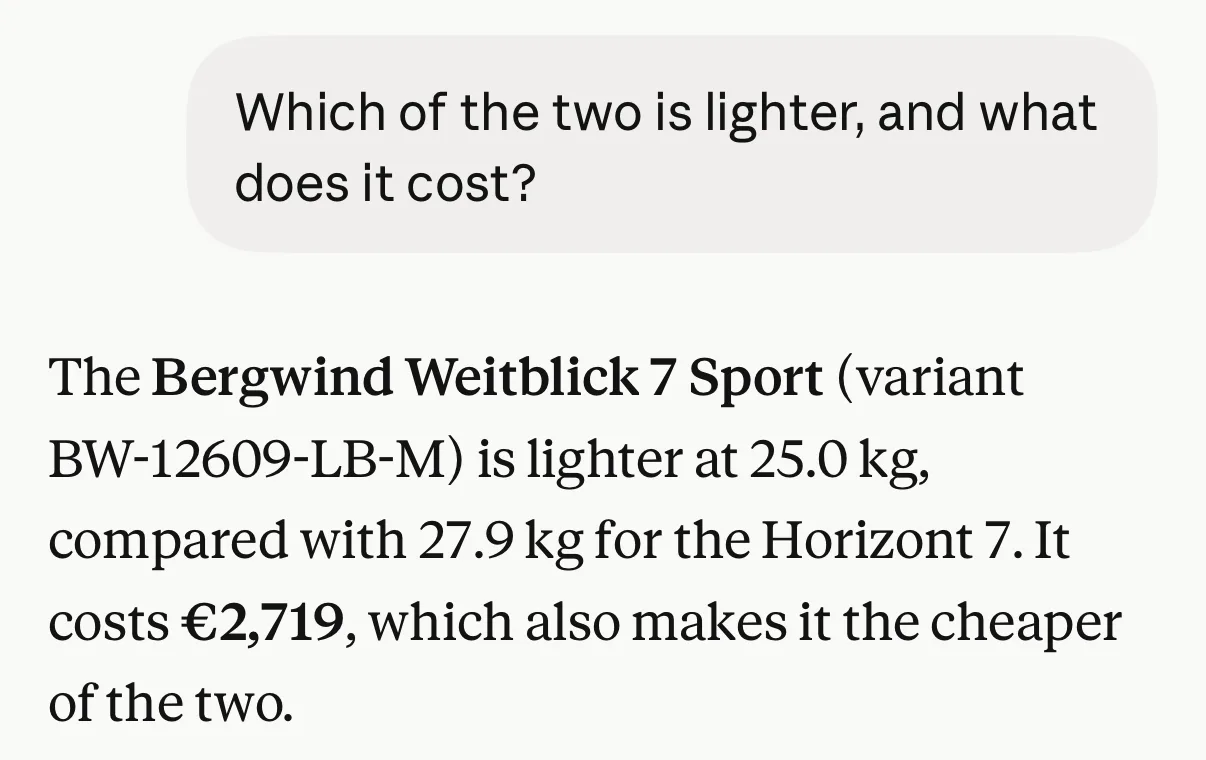
No new call this time: the first answer already held the weight and the price of both bikes, and Claude answered from it.
Then the color:
If it doesn't have to be Lake Blue: which colours does the lighter one come in, in size M, and how many does Bergwind have in stock?
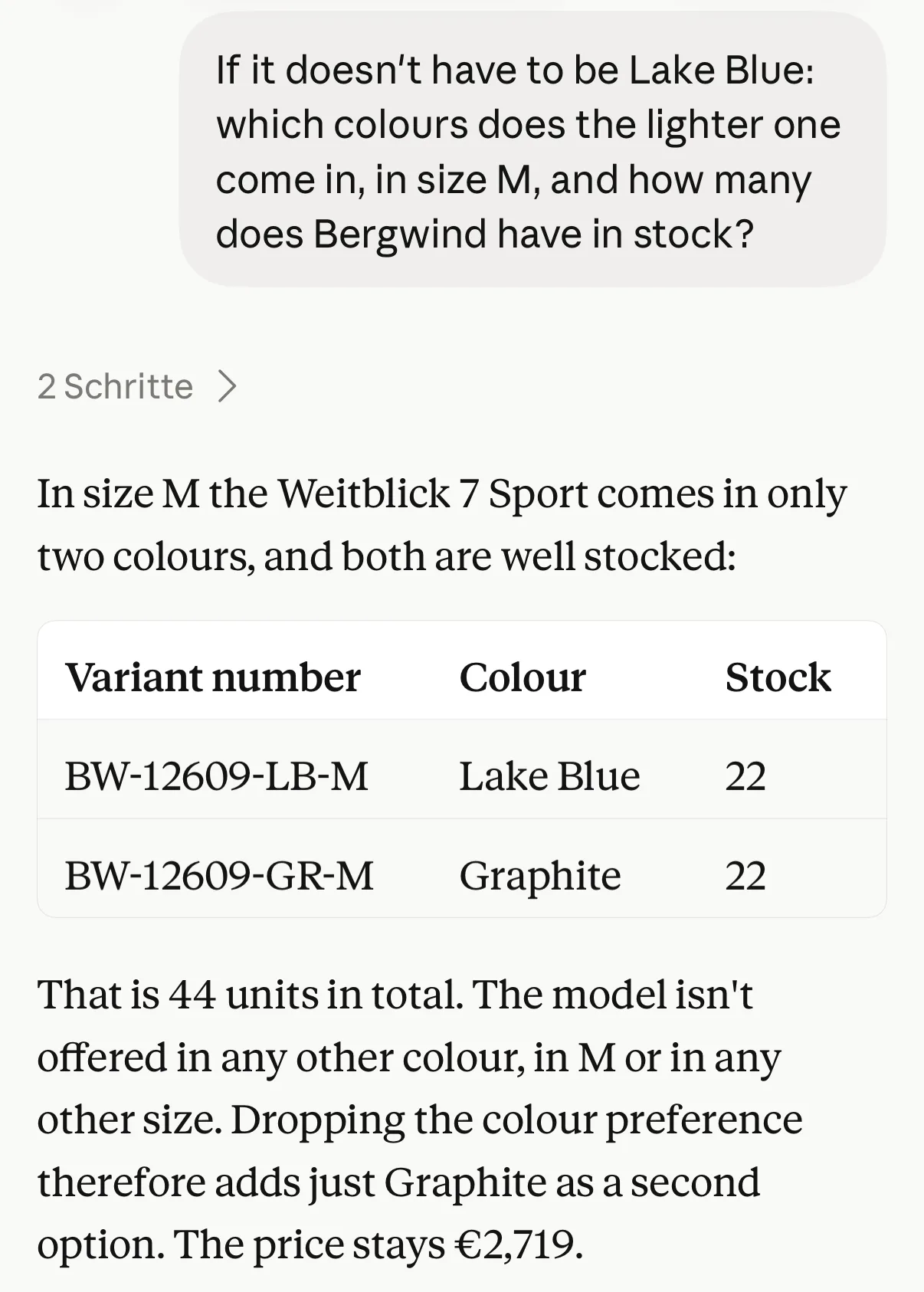
Claude went back to the catalog for the variants of BW-12609. It kept the product number from the first answer, so the other two bikes called Weitblick 7 Sport stayed out of it.
The last question was asked in a new chat, without the three before it, to see the wider picture:
How many e-bikes does Bergwind offer under 3,000 euros, by type?
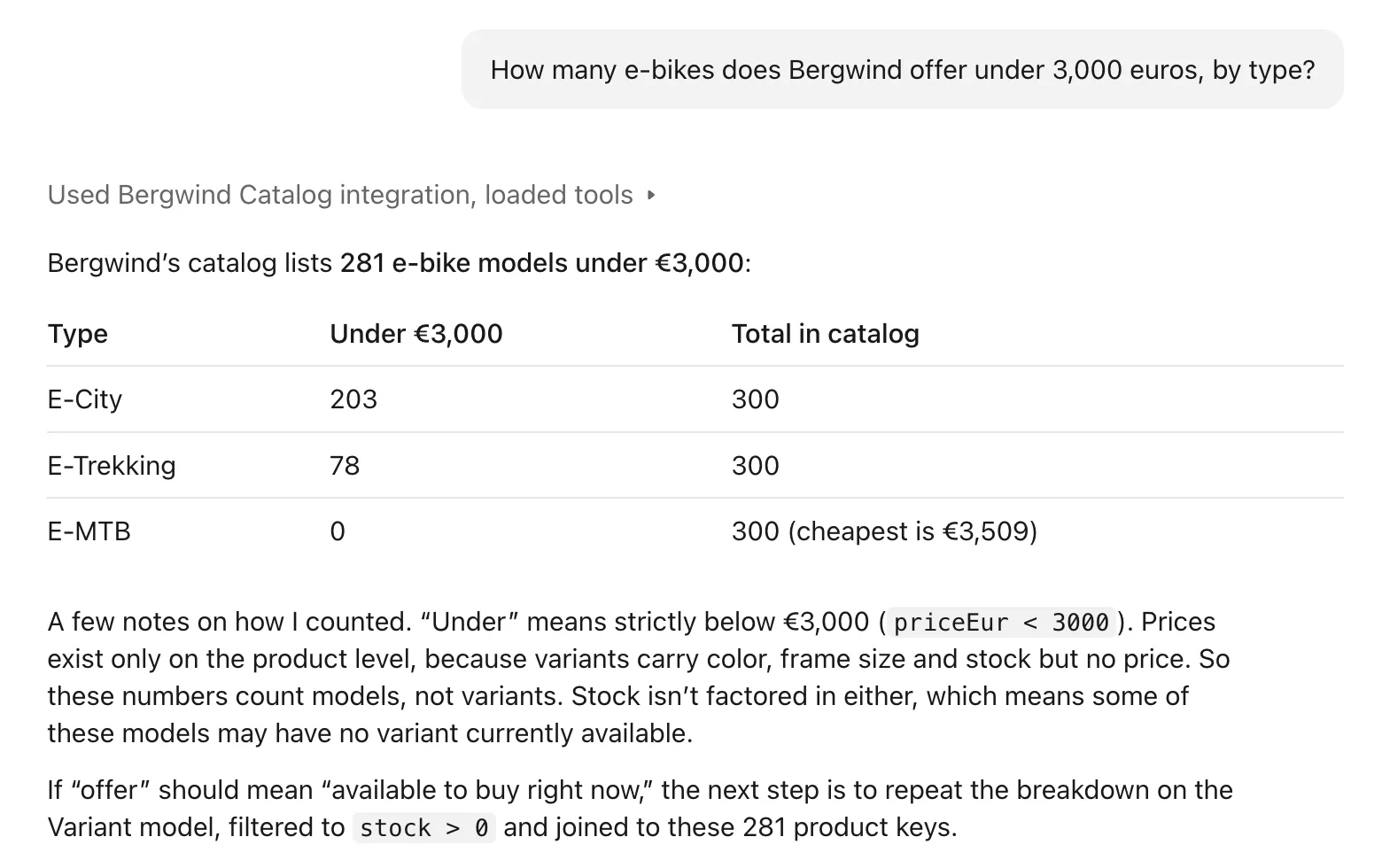
Claude counted the e-bikes under 3,000 euros by bike type and set each count against the type's total in the catalog. Its notes are worth reading at the counter: the count is models in the catalog, not bikes in stock, and Claude says how it would check stock if that is what "offer" should mean.
What is behind it
The data is the catalog from Build a product catalog with dcupl: three CSV exports with products, variants and categories, described by a data model and kept in a version of the dcupl Console. The catalog page in that article reads it in the browser. Here, Claude reads the same data.
Between the data and Claude sits one REST API (RAPI) instance. It is deployed from an API template, a small file in the Console that names the project, the version and the application to load: the catalog with its categories, products and variants, without the dealer list the project also holds. The template has an API key of its own and an MCP switch. With the switch on, the instance answers MCP, the way Claude talks to tools, on one more route. Claude gets seven tools on the catalog: models to see what is there, query for filtered rows, facet and aggregate for counts and ranges, and pivot, metadata and suggest.
The connection is added once, with the URL of that route and the API key.
Claude can only read. Every tool is read-only: it cannot change a price, reserve a bike or touch the stock. What the salesperson gets is what the data says, and the data is maintained where it always was, in the exports.
MCP is not on for every project. It is part of a paid plan: dcupl turns it on for the project, and the switch appears in the template after that.
For developers
The same instance works in Claude Code. Adding it is one command, in the form the MCP endpoint docs show:
claude mcp add --transport http bergwind-catalog \
  "https://run.dcupl.com/runner/dcupl-runner-01/instance/your-project-id-bergwind-catalog/mcp" \
  --header "api-key: your-secure-api-key"
The instance key is the template key with the project id in front. your-project-id and your-secure-api-key are placeholders for your own values.
Claude Desktop's fourth answer rests on a facet count, as its follow-up further down says. This is a facet call for the same question, made from a Claude Code session against the instance:
facet
{
  "modelKey": "Product",
  "options": { "attribute": "bikeType", "count": 20 },
  "query": {
    "modelKey": "Product",
    "queries": [
      { "attribute": "isEbike", "operator": "eq", "value": true },
      { "attribute": "priceEur", "operator": "lt", "value": 3000 }
    ]
  }
}
The start of the result, with each entry on a line of its own here:
[{"key":"E-City","value":"E-City","selected":false,"enabled":true,"size":203,"entry":{"key":"E-City"},"resultKeys":["BW-10008","BW-10018", …]},
 {"key":"E-Trekking","value":"E-Trekking","selected":false,"enabled":true,"size":78,"entry":{"key":"E-Trekking"},"resultKeys":["BW-10009","BW-10069", …]}]
The same 203 and 78 as in the chat. resultKeys holds the product numbers behind each count, cut short here.
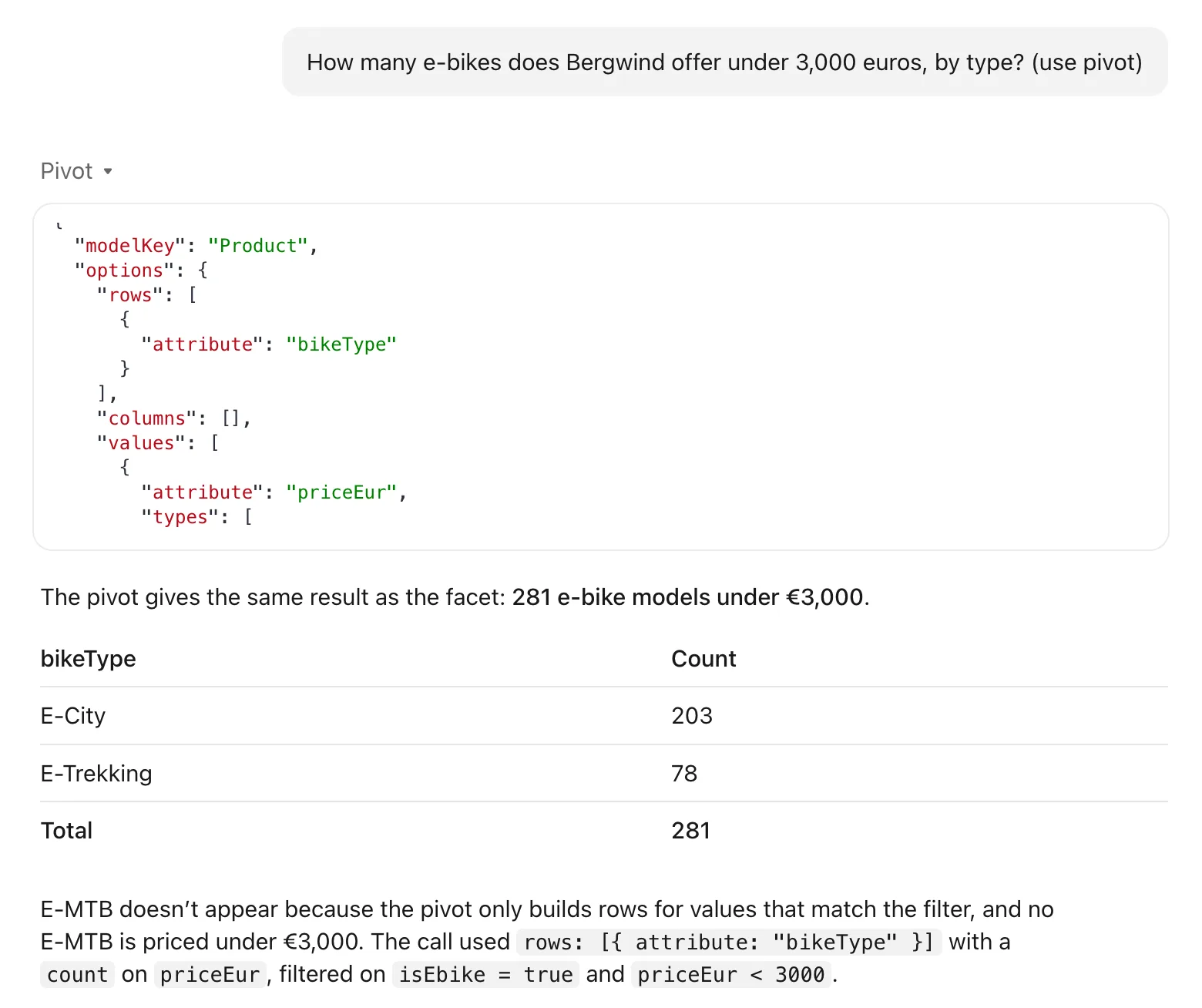
You can also ask Claude for a specific tool. In the chat of the fourth question, the same question asked again with the hint "use pivot" gets a pivot call: rows by bike type, a count per row, filtered on e-bikes under 3,000 euros.
The template the instance is deployed from, api/bergwind-catalog.api.json, without its description. The keys and the project id are placeholders:
{
  "key": "bergwind-catalog",
  "name": "Bergwind Catalog",
  "vGuardEnabled": false,
  "auth": [{ "type": "api-key", "value": "your-secure-api-key" }],
  "dcuplConfig": {
    "projectId": "your-project-id",
    "apiKey": "your-sdk-readonly-key",
    "processOptions": { "applicationKey": "catalog" },
    "loaderFetchOptions": {
      "baseUrl": "https://cdn.dcupl.com/files/projects/your-project-id/catalog-demo"
    }
  },
  "mcp": { "enabled": true }
}
applicationKey loads the catalog application, baseUrl points at the version the catalog page loads too, and mcp.enabled: true is the switch. The version guard is off, as the docs advise for instances that agents connect to: its header would change with every update of the instance. Your deployed data, one MCP endpoint away from your agent explains the endpoint and why it is read-only.
Another use
The salesperson is one reader of the catalog. A customer on the shop's website, asking an assistant the same question late in the evening, would be another: the same instance and the same read-only tools, with a different client in front. That client is not part of this demo, and a shop would decide for itself what such an assistant may say.
Your catalog already holds the answers. Connect it once, and anyone at the counter can ask it in plain words.