Coding agents
How we made the dcupl CLI something an agent can drive

Gernot Bernkopf
CEO and Co-Founder, dcupl
Coding agents are good at code and bad at everything they cannot read. A CLI built for people prints text the agent has to interpret, applies changes the moment they run and expects you to know the field names. We rebuilt the dcupl CLI around four decisions so an agent can drive it, and we wrote a skill that teaches it how.
agentic development dcupl CLI Claude Code
The first time we watched a coding agent use the dcupl CLI, it did everything right and still failed. It ran the command, read the human-formatted output, picked the wrong line as the result and carried on. No error, no crash. The agent reported success, and the data was not there.
That session changed how we build the CLI. A tool an agent can drive needs different properties than a tool a developer types into. These are the four we settled on.
One: JSON on every command
Every command accepts --json. The app, validate, workflow, files and schemas commands then answer in structured JSON, errors included. An error is not red text on stderr. It is an object on stdout with "success": false, a message and a code such as MODEL_NOT_FOUND, and the agent branches on the code.
This sounds small. It is the difference between an agent that knows what happened and an agent that guesses from console text. Reliable parsing means a reliable next step.
Two: stage, then build
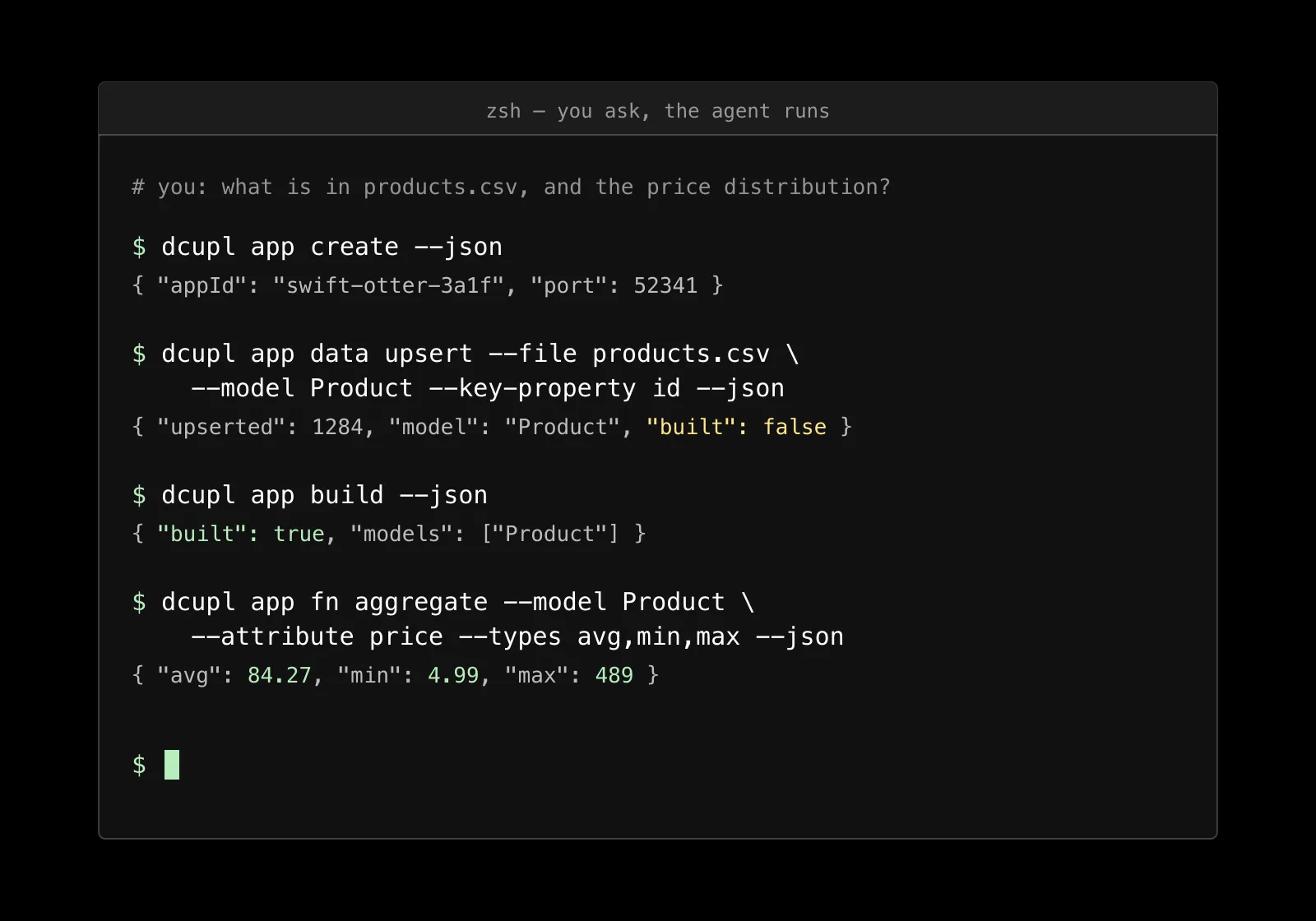
Data mutations do not apply silently. An upsert stages the change and answers with "built": false. The status command reports pending changes. Nothing reaches the data until dcupl app build runs, or until the agent was explicitly started with the flag that applies changes immediately.
For an agent, this is the escape hatch it needs. It can see that something is about to change, reason about it, and stop before a bad import goes through. For you, it is the step between the agent's work and your data where you can look.
Three: a daemon that remembers
dcupl app create starts a background process that holds your data in memory and answers queries: facets, aggregations, group-bys, filtered lists. It stays alive across commands until you destroy it or it idles out. The agent creates it once, loads the export once, and every follow-up question is a fast call against the same data.
Without the daemon, a conversation about a product export would re-read the file for every question. With it, "what is the price distribution?" followed by "and by material?" is two quick commands, not two imports.
Four: discover the schema, do not guess it
The silent failure we see most often is a filter on a field that does not exist. It returns an empty list, not an error. An agent that only saw a header row fills the gap with a plausible name and reports that nothing matched.
So the CLI tells the agent the real shape before it writes anything. dcupl app models get returns the fields and types of a loaded model. dcupl schemas get with the example flag returns the real structure of a model definition, a loader configuration or a workflow template. The agent reads the truth first, then authors against it.
The skill: what the CLI cannot say about itself
Four good properties do not make an agent use a tool well. It still has to know which command is the entry point for which task, in which order the steps go, and where the traps are. That knowledge lives in the dcupl skill, a plugin for Claude Code.
The skill encodes the command patterns, the right entry points and the non-obvious pitfalls: profile a CSV before you model it, validate before you build, deploy a workflow to a dev runner before production. In Claude Code you install it with two plugin commands. With Cursor, Codex or Copilot, the JSON output alone gets you most of the way.
What it looks like
You type: "What is in products.csv, and what is the price distribution?" The agent creates an app, upserts the file into a Product model with a generated sample, aggregates the price with average, minimum and maximum, and shows you the numbers. Every step is a command you can read in the terminal, every answer is JSON you can check.
You stay in the loop. The agent does the keystrokes. Nothing happens by surprise.
Try it
The agentic setup in the docs installs the CLI and the skill in a few minutes. The recipes walk through profiling a CSV, staging and building, modeling and validating, and building and deploying a workflow, each as a prompt and the commands the agent runs. Why it works has the design decisions in more detail.
An agent that can read the truth does not have to guess. Give it a CLI that tells it.