Coding agents
Your deployed data, one MCP endpoint away from your agent

Dominik Strasser
Co-Founder, dcupl
The dcupl CLI gives a coding agent your data on your machine. The MCP endpoint gives it your data where it is deployed. Where it is turned on, a REST API instance answers the Model Context Protocol on one more route, and an agent connects with the URL and the API key. Same data, same authentication, nothing to install or host.
MCP coding agents REST API
A customer platform runs on a dcupl REST API. Products, prices, availability, the whole catalog, deployed on a runner and queried by the web app. Now the team wants its coding agent to work against that data while it builds the next feature. Not a copy of the export from last quarter. The deployed data.
That is what the MCP endpoint is for.
One more route on the instance
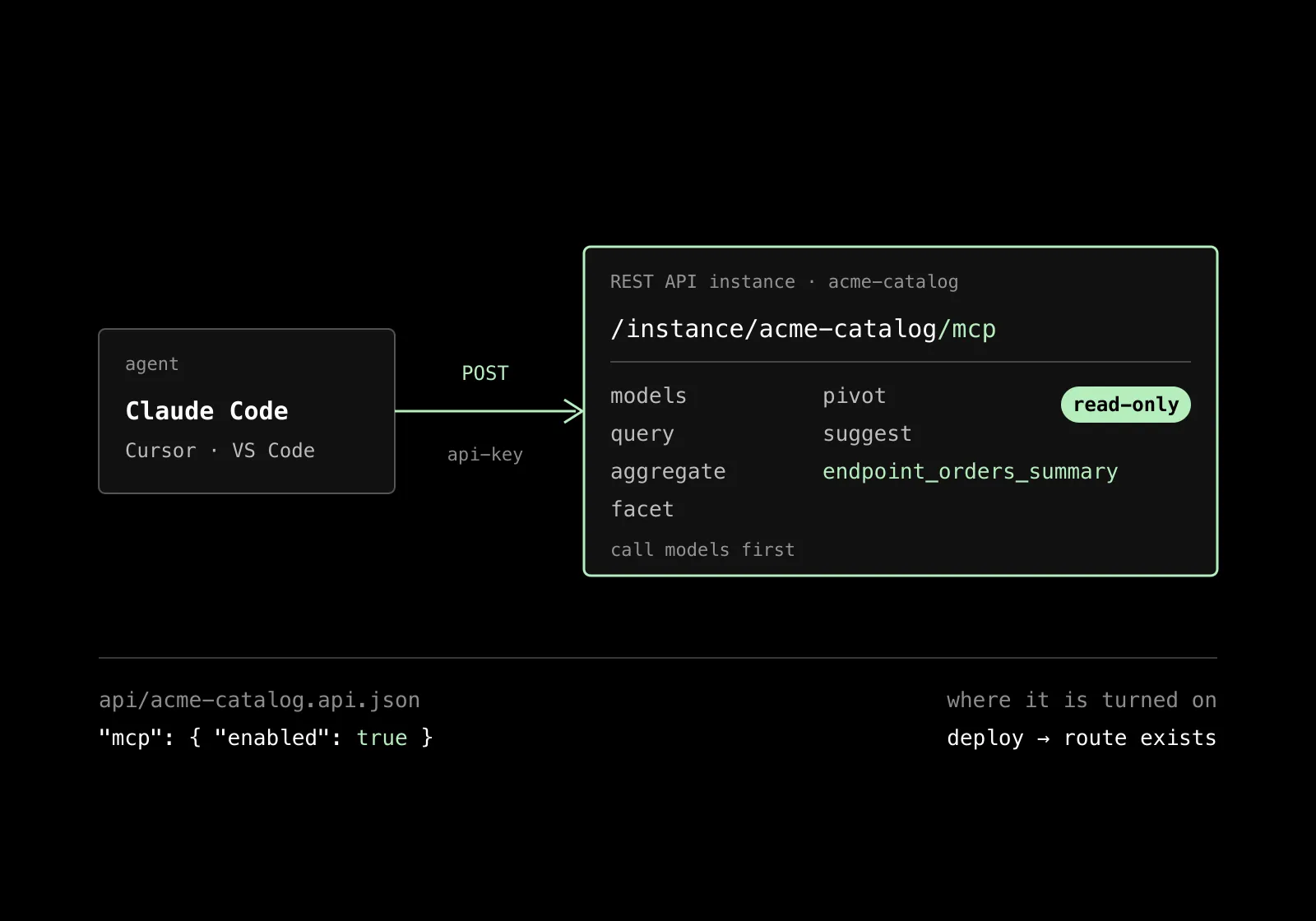
The Model Context Protocol is the way agents such as Claude Code, Cursor, VS Code with Copilot or Claude Desktop talk to tools. A dcupl REST API instance can speak it on one more route under the instance URL, /mcp. The agent connects with that URL and the instance's API key as a header. That is the whole setup.
For you as a developer it means the agent reads your deployed application the way a client uses the REST API. For the agent it means a set of tools: the data models, filtered queries, aggregations, facets, pivots, suggestions, and one tool per scripted endpoint of the template.
The server tells the agent to call models first. That matters more than it sounds: the agent learns the real fields and types before it writes a query, which is the fix for the silent failure we wrote about in October, where an invented field name returns an empty list and the agent reports success.
Turning it on, twice
MCP is opt-in twice. It is part of a paid plan that dcupl turns on for your project. Then the template gets an MCP switch in the Console, and you deploy. The route exists only on an instance deployed from a template with the switch on. Flipping the switch on a running instance changes nothing until you redeploy, and an instance deployed before the switch existed answers not found.
We made it deliberate on purpose. An agent reaching your production data is a decision, not a default.
Read-only, and the same guards
Everything the agent can do is read-only. The data tools never write. A scripted endpoint tool runs the script with the same read-only access as the HTTP route. The agent cannot change a price, delete a product or trigger a workflow through this door.
The route sits behind the same guards as the data routes: the API key, and the version guard when it is on. An instance without an API key is open to anyone with the URL, which is why the docs say to add one. Treat a connection snippet that contains the key like the key itself.
What a session looks like
You add the server in Claude Code with one command, URL and header. You ask: "Which product categories have the most items without an image?" The agent calls models, sees the Product model with its category and images fields, runs a facet on category filtered on an empty image list, and answers with the counts. Then you ask for the ten most expensive ones in the worst category, and it runs a query with a sort and a limit.
No export, no copy, no stale sample. The numbers are the numbers the web app shows.
The CLI or the endpoint?
Both. The CLI is for the developer's machine: a local app that holds an export, staged changes, a build you approve, models and workflows the agent authors. The MCP endpoint is for the deployed instance: the agent reads what is running, and nothing else.
A team we work with uses the CLI to let the agent build the import workflow, and the endpoint to let it check, against production, that the imported data looks right. Two doors, two sets of permissions, one model.
Try it
The MCP endpoint docs have the switch, the connection snippets for Claude Code, Cursor and a JSON config, the tools and a way to test the route with the MCP Inspector. The REST API docs cover the template and the deploy.
Your agent should see the data your users see. Read-only, with a key, when you say so.